Workspace pulse
Review requirements, test cases, execution plans, members, approvals, risks, and defects at a glance.
Keep requirements, test coverage, execution, defects, and release decisions connected from the first product idea to the final quality review.
Workspace KPIs, status summaries, priorities, test execution, and defect health come together in one decision-ready view.
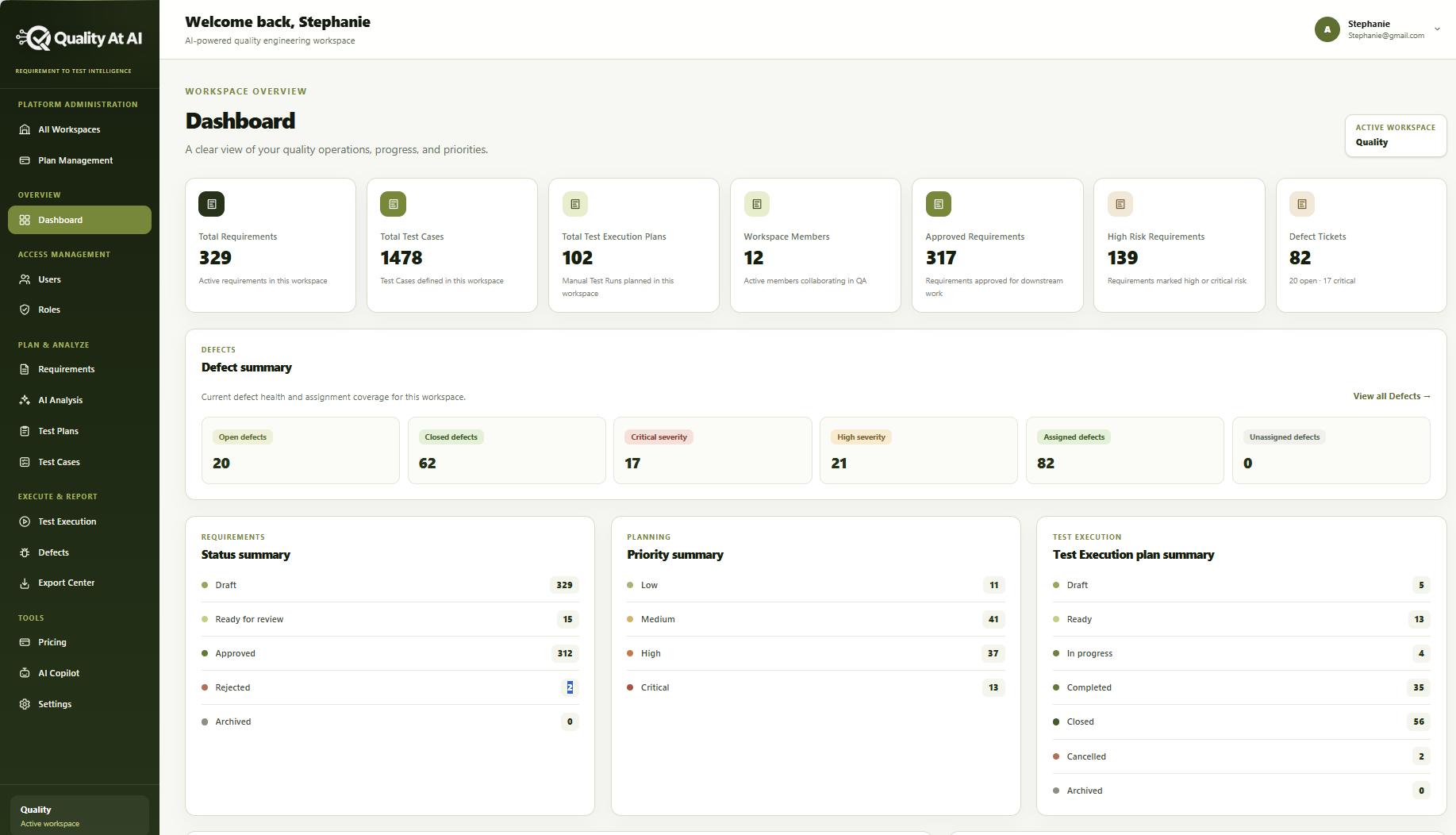
Review requirements, test cases, execution plans, members, approvals, risks, and defects at a glance.
Understand what is ready, in progress, completed, blocked, or still awaiting review.
Direct attention to high-risk work and unresolved issues before they affect release confidence.
Each stage builds on the stage before it, so teams can trace a test result or defect back to the requirement and decision behind it.
Product intent and acceptance criteria
Ambiguity, gaps, and risk
Traceable scenarios for review
Release scope and priorities
Results, progress, and defects
Evidence for release readiness
Connected traceability: requirement → analysis → test case → test plan → execution result → defect or release decision
Keep workspace access, ownership, plans, and configuration understandable as your quality operation grows.
Keep each product or quality initiative organized in the right workspace.
Bring the right people into the workspace and maintain clear ownership.
Control who can view, create, review, and administer quality work.
Understand the plan attached to each workspace and the capacity available.
Manage workspace preferences and configuration from one place.
Move from detailed workspace information to useful updates for delivery teams, stakeholders, and leadership.
Prepare quality information for people who need it outside the workspace.
Give stakeholders a clear view of coverage, progress, risk, and defects.
Turn detailed quality work into a concise view of readiness and attention areas.
Explore the views and workflows that connect product intent to testing, defects, and release decisions.
Explore the review, history, evidence, and discussion views available in the product. Some actions require workspace permissions.
These capabilities are planned. They are shown here as product direction, not as features available today.
See how requirements, test cases, execution, and results connect across a release.
Planned capabilityUnderstand where priority, coverage gaps, and unresolved issues create the greatest exposure.
Planned capabilityDefine the quality conditions that should be met before a release moves forward.
Planned capabilitySummarize readiness, risk, and trend signals for leadership decisions.
Planned capabilityStart with your next set of requirements or talk with the Quality At AI team.